
In a past project I had to typeset a document from English into Vietnamese. As soon as I pasted in the first line of text, I ran into a problem that comes up a lot with Vietnamese. Vietnamese uses accents that aren’t found in a lot of standard Latin fonts, so the letters that are missing from the font just show up as squares in InDesign. The source font simply doesn’t support the Vietnamese glyphs.
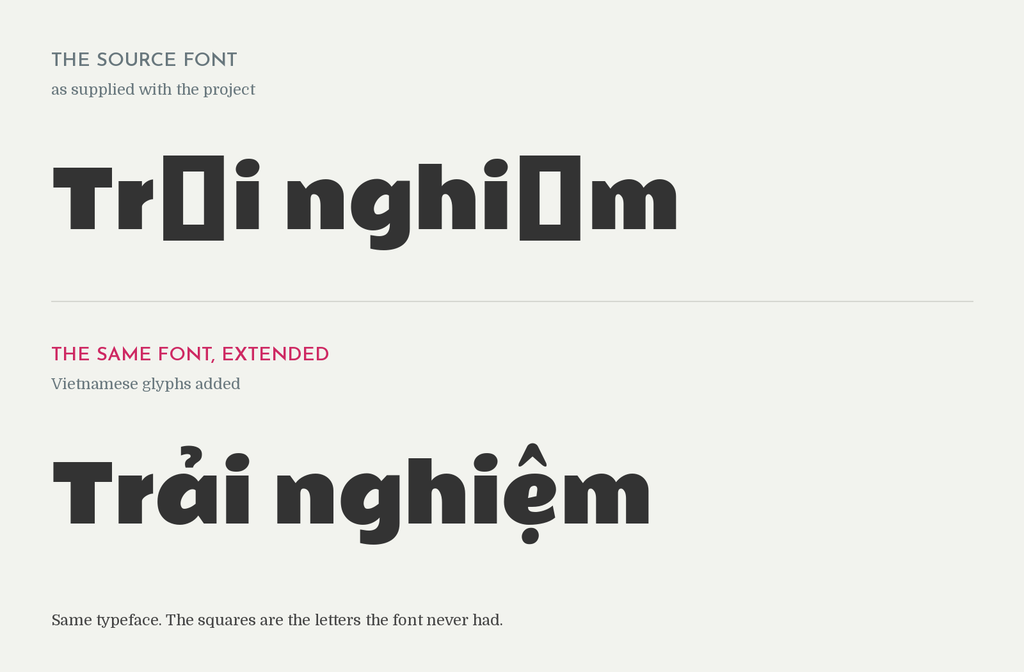
And it isn’t just Vietnamese. The same thing comes up with Croatian, Romanian, and languages like Dinka. The alphabet is Latin, so everyone assumes the font will handle it, but the letters those languages need were never drawn into it.
The typical thing to do in this situation is to find another font that resembles the source as closely as possible and also supports Vietnamese. That’s what I used to do. But I like to go the extra mile, so what I started doing instead is editing the actual source font to add the missing glyphs, and then typesetting with that edited font. Before I touch anything, I check the font’s license to make sure modifying it is allowed, and I follow whatever that license requires.
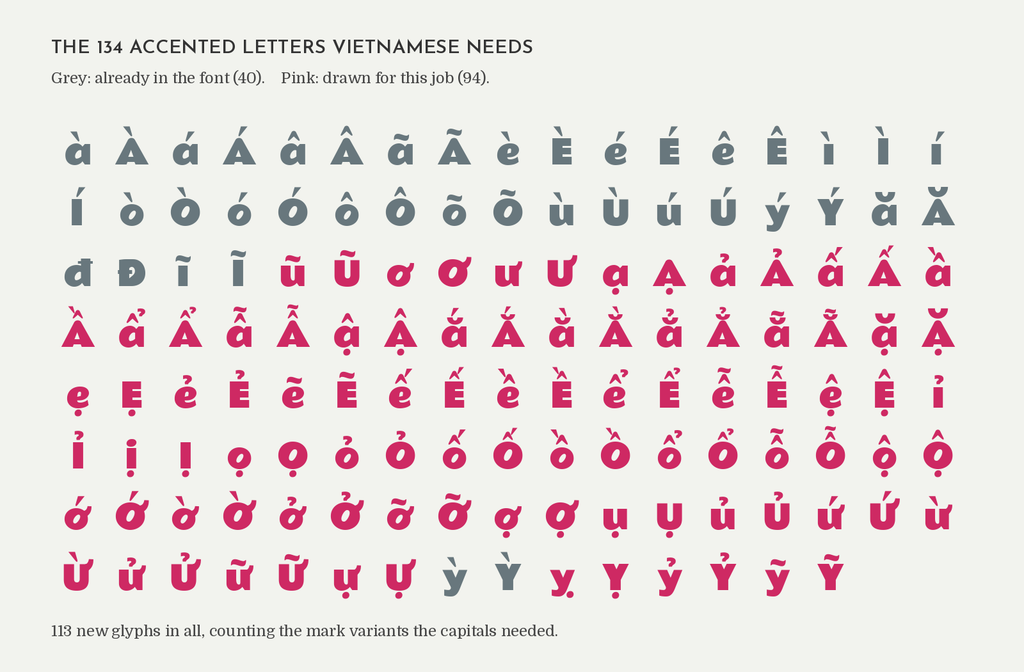
In this case the font had 40 of the 134 accented letters Vietnamese needs, so I drew the other 94 using FontForge. The letters get assembled from parts the font already has, and then the real work is going through each one and correcting where the marks sit.
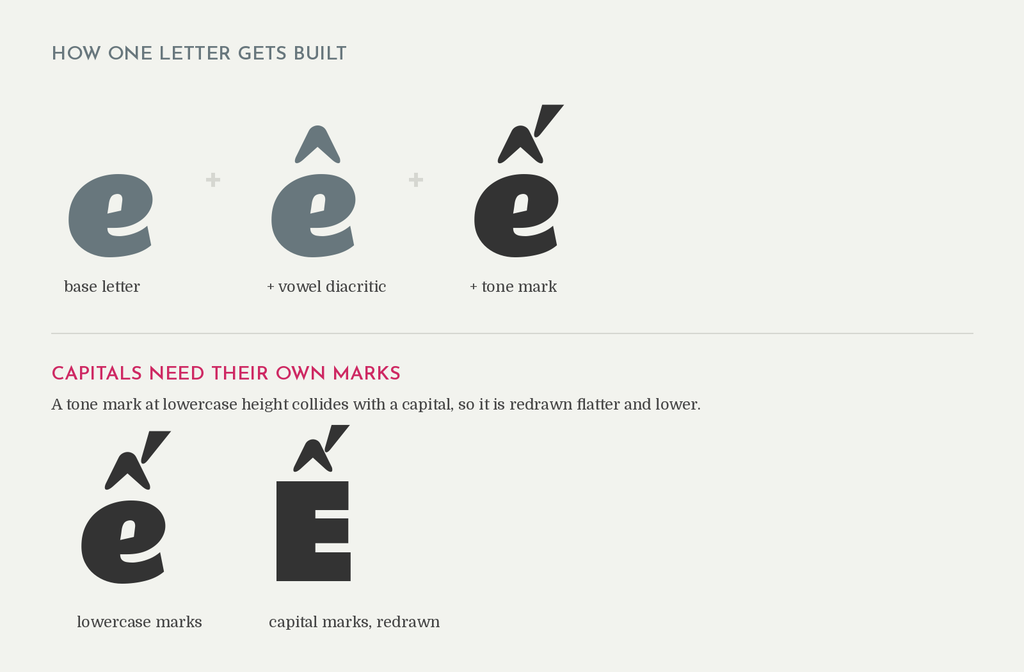
The result is a final product that looks just like the English source. There’s no “closely resembling” font involved. It’s the actual font, so when you put the English and the Vietnamese side by side, everything looks harmonious and consistent.
Not many typesetters, if any that I know of, will go to these lengths for a client. It’s usually not even something the client expects, and they’re delighted when they see how close the final product is to the source. I don’t charge extra for it either. If a job needs it, it’s included in what I do.
You might think it’s not worth the time to edit a font just to support one language on one project. I look at it as a long-term investment though, especially with recurring clients where the same ads and brochures get translated over and over. Editing the font once means I don’t have to do it again on the next project, and anything else that comes through in that language using the same source font is ready to go.
So now you know what goes into typesetting these kinds of documents. It’s not a simple copy and paste. Sometimes it means going into the font itself, editing it, and making it support a language it was never built for.